> For the complete documentation index, see [llms.txt](https://uni.fotello.co/llms.txt). Markdown versions of documentation pages are available by appending `.md` to page URLs; this page is available as [Markdown](https://uni.fotello.co/business-details/branding.md).
# Branding
Use Brand Kit to manage the logos and colors used across Fotello.
Brand Kit has separate settings for your company and customer teams.
### Open Overall Settings
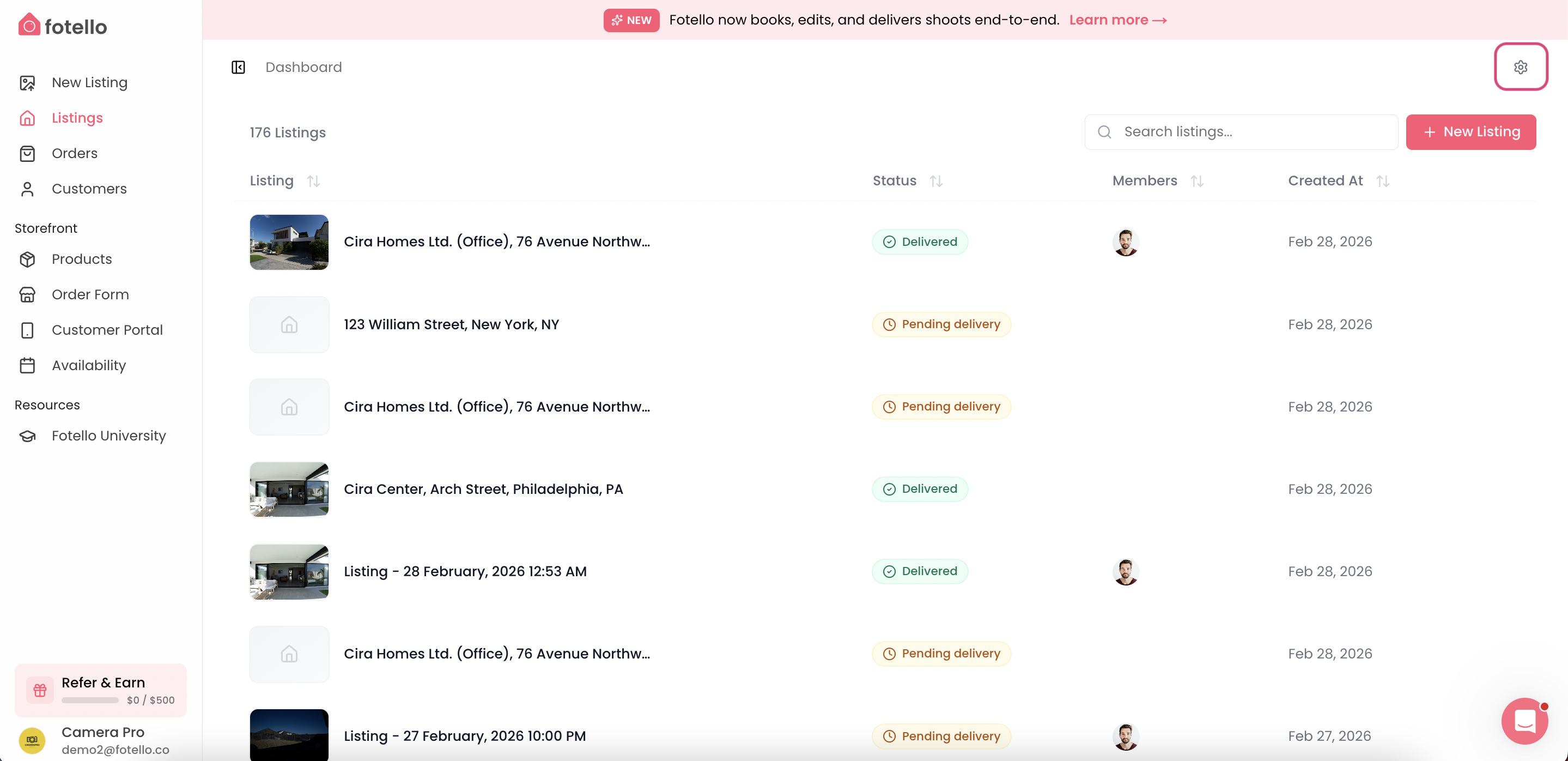
Click the **Settings** gear icon in the upper-right corner.
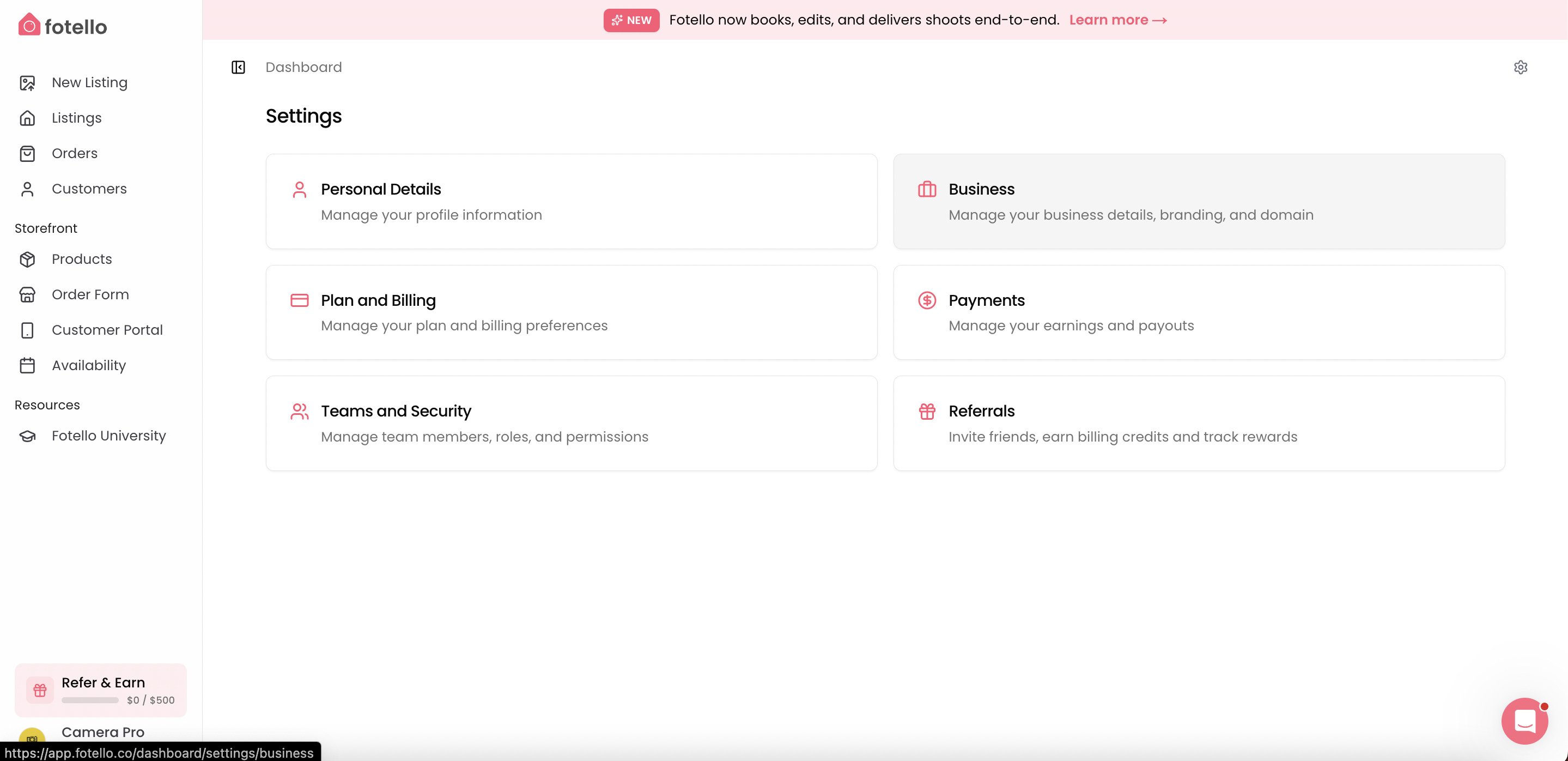
The **Overall Settings** menu includes:
* **Personal Details** — Manage your profile information.
* **Business** — Manage your business details, branding, and domain.
* **Plan and Billing** — Manage your plan and billing preferences.
* **Notifications** — Customize email and text notifications for customers and team members.
* **Teams and Security** — Manage team members, roles, and permissions.
* **Referrals** — Invite friends, earn billing credits, and track rewards.
* **Storage** — Track space used by photos, videos, and uploads.
* **API Keys** — Request API access for Fotello integrations.
* **Import data** — Bring customers and listings over from another platform.
### Business Details
Use **Business Details** for your core business profile.
This is where you manage details like your business name, contact info, and socials.
If you see a logo field here, treat it as part of your business profile. Use the dedicated **Branding** tab for the main customer-facing brand styling.
The **Overall Settings** menu opens after you click the gear icon.
Click **Business**, then open **Details**. You can also go to .
Update your business profile details here.
### Company Brand Kit
Use **Company Brand Kit** for your business logo and brand colors.
These settings appear across your customer-facing Fotello experiences. They are also available as watermarks in the photo editor.
{% stepper %}
{% step %}
#### Open Company Brand Kit
Go to **Settings → Business → Brand Kit**.
#### Add your logo
Add the logo you want to use for your company.
{% endstep %}
{% step %}
#### Set your brand color
Set your brand color to keep customer-facing pages visually consistent.
{% endstep %}
{% endstepper %}
### Customer Team Brand Kit
Use **Customer Team Brand Kit** to manage logos and colors for a customer team.
Go to **Customers → Teams**, then select the customer team you want to customize. Open **Brand Kit** to set a custom color that matches the customer's branding.
The selected color controls **Aerial Pins** for listings assigned to that customer. It also lets you match a customer's preferred style.
### Order Form branding
Some Order Form branding and booking-page presentation settings live under **Order Form → Preferences**.
Use that area when you want to manage booking-specific branding or display choices that only affect the Order Form.
---
# Agent Instructions
This documentation is published with GitBook. GitBook is the documentation platform designed so that both humans and AI agents can read, navigate, and reason over technical content effectively. Learn more at gitbook.com.
## Querying This Documentation
If you need additional information that is not directly available in this page, you can query the documentation by asking a question.
Perform an HTTP GET request on the following URL with the `ask` and `goal` query parameters:
```
GET https://uni.fotello.co/business-details/branding.md?ask=&goal=
```
`ask` is the immediate question: it should be specific, self-contained, and written in natural language.
`goal` is what the user is ultimately trying to achieve, the reason they need the answer. Sharing it helps GitBook give you a better, more relevant answer. A goal is most helpful when it describes the outcome the user wants rather than restating the question. For example, with `ask=how do I create an API token`, a goal like `automate deployments from our CI pipeline` lets GitBook tailor the answer to that use case.
The response will contain a direct answer to the question and relevant excerpts and sources from the documentation.
Use this mechanism when the answer is not explicitly present in the current page, you need clarification or additional context, or you want to retrieve related documentation sections.